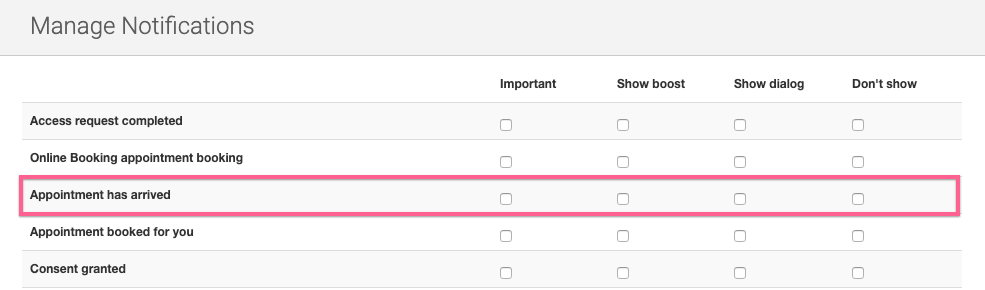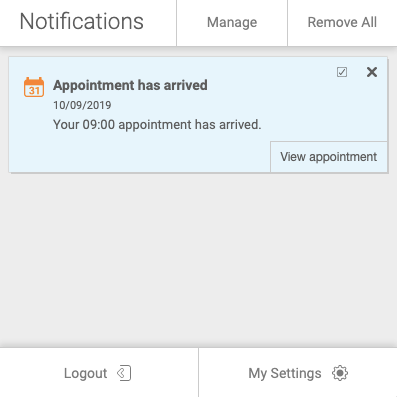
Yes, a patient arriving for an appointment is one of the events that you can choose to receive a notification about.
To receive the notification you'll need to:
- Have an Appointment Status called Arrived set up (You'll need to set this up yourself if you signed up before 02/10/18. If you signed up after this, an Arrived status will already be set up for you)
- Choose how you'd like to be notified
Setting Up the Arrived Appointment Status (if needed):
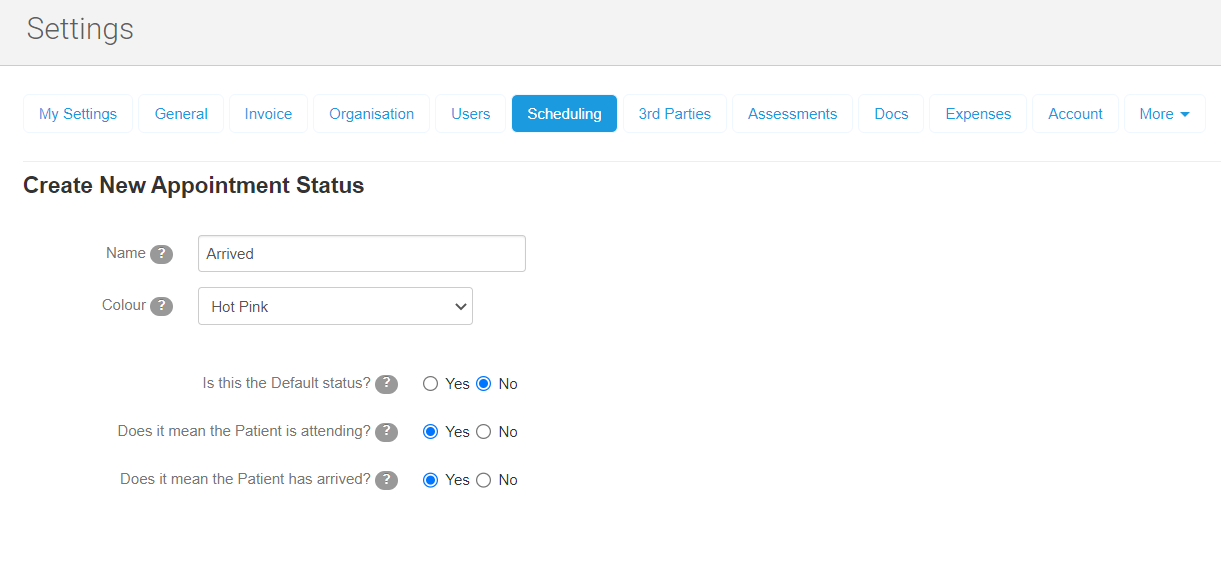
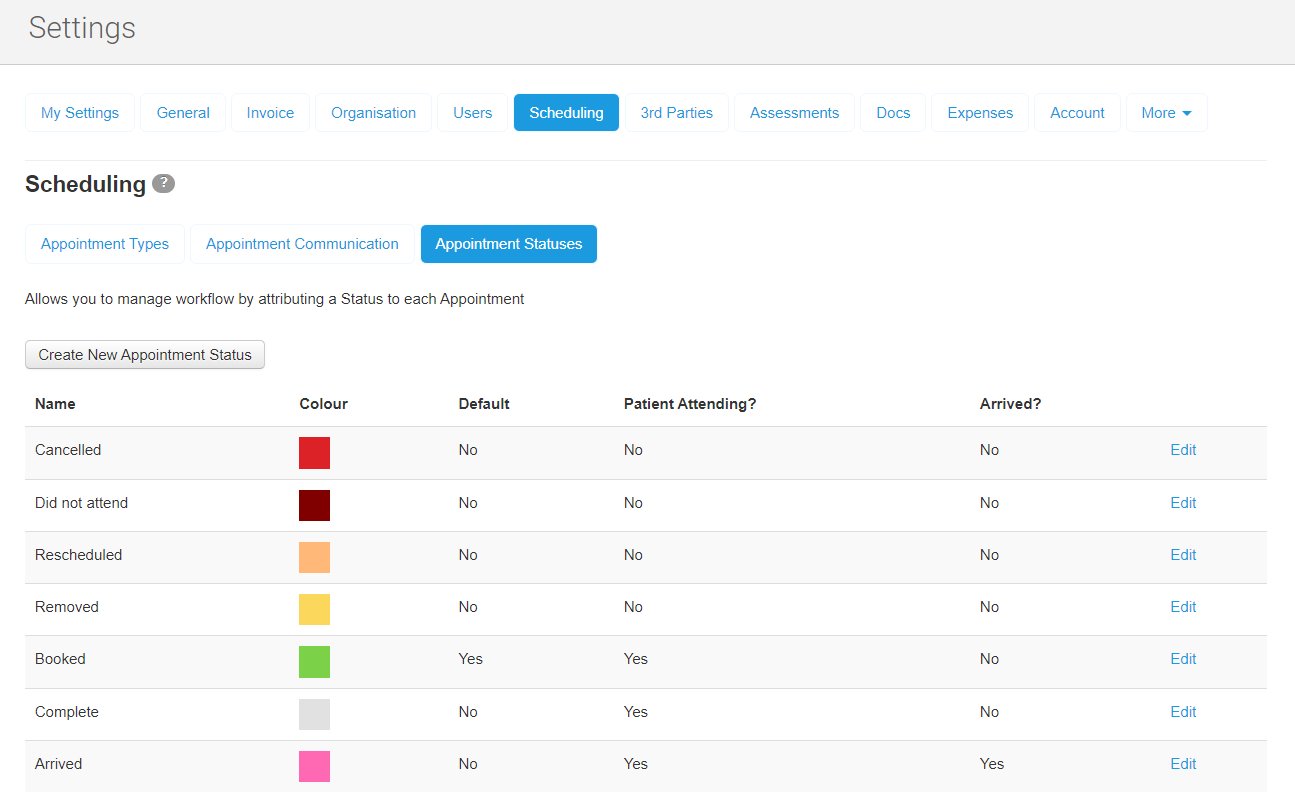
1. Go to Settings -> Scheduling, click into the Appointment Statuses tab and select Create New Appointment Status: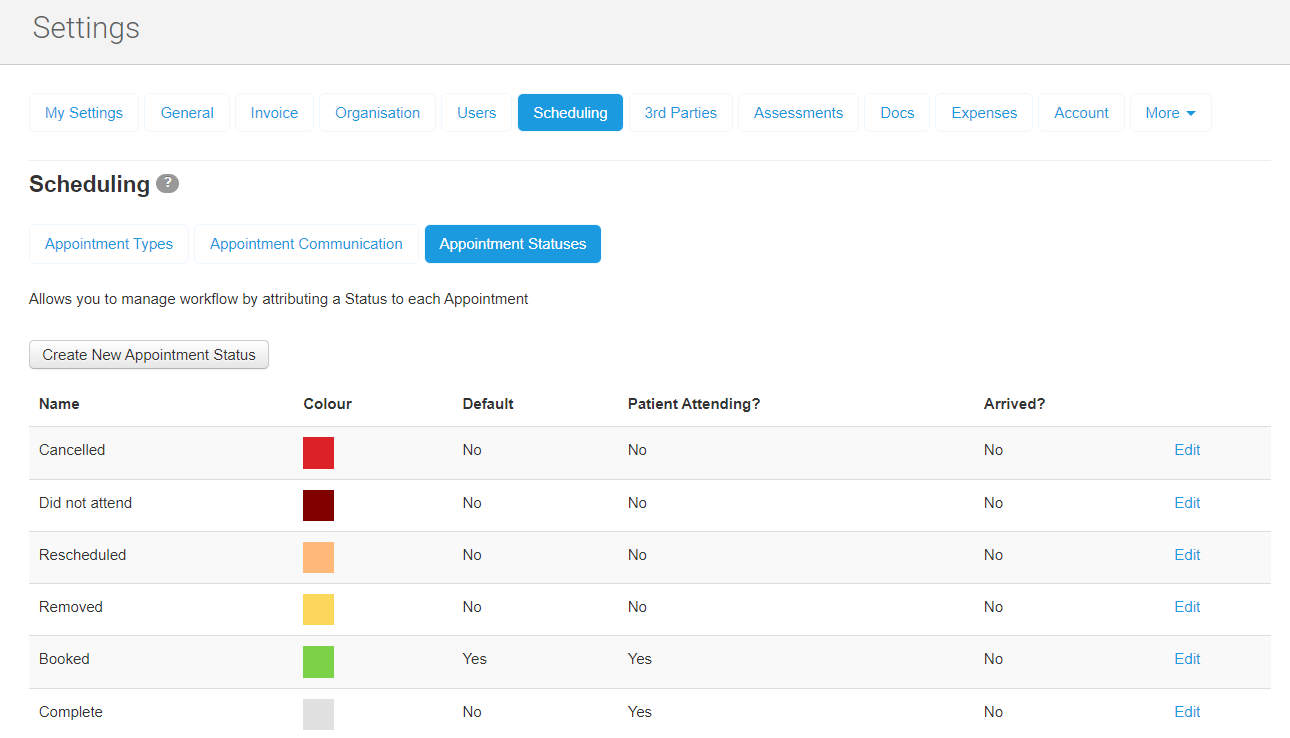
- Name - Arrived
- Colour - Choose from the dropdown list
- Is this the Default status? - No
- Does it mean the Patient is attending? - Yes
- Does it mean the Patient has arrived? - Yes
3. Hit Save and you'll be taken back to the Scheduling tab where you'll see the new status in the list:
Setting Up the Arrived Notification
1. Click on your username in the top right corner and then choose Manage from the Notifications heading: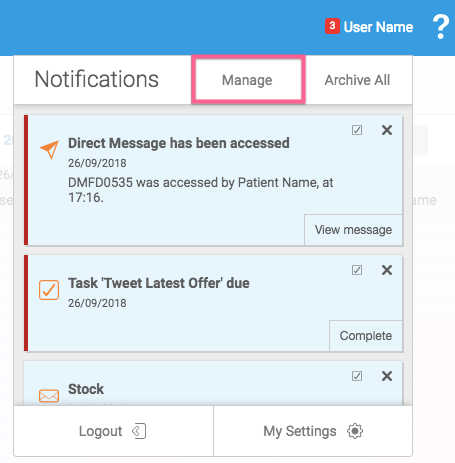
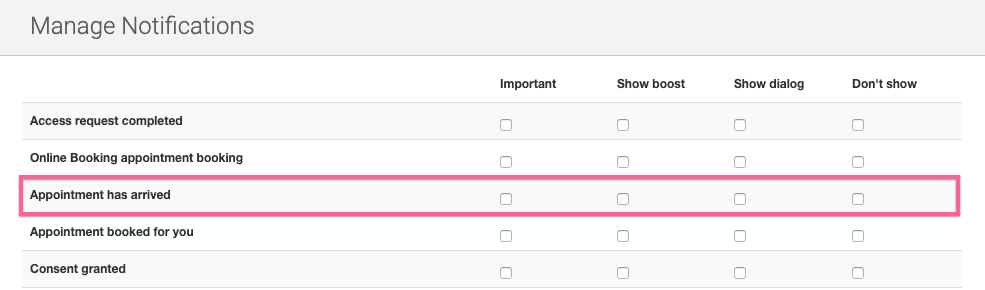
- Important will be highlighted with a red line down the left side of the notification:
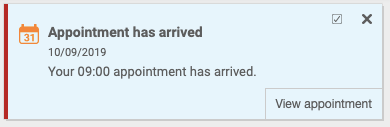
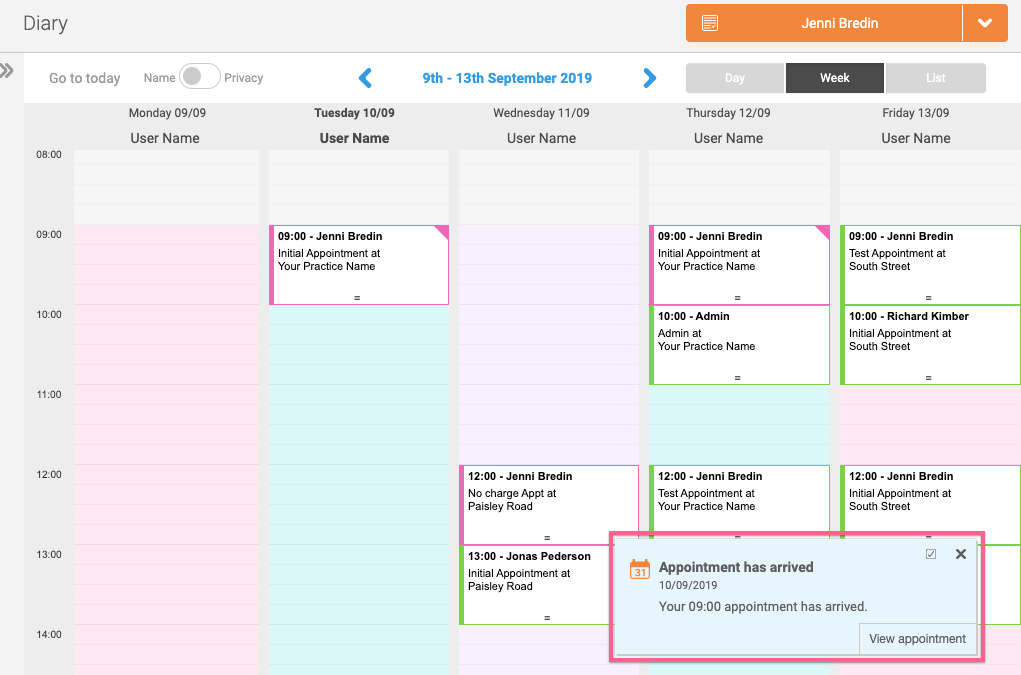
- Show Boost appears as a pop up notification at the bottom right of your screen:
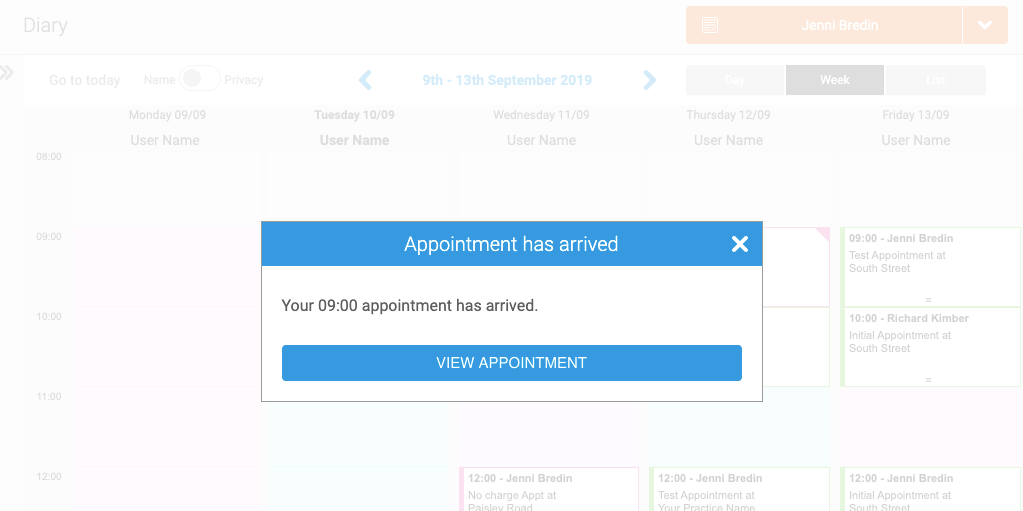
- Show Dialog appears as a dialog box in the middle of your screen:
-
None won't generate a notification.
-
You also have the option to leave the checkboxes blank, which generates a standard notification in the Notifications box: