
No, this is not a specific feature of WriteUpp. Instead, we use colour coding of appointments in the diary to signify the status of an appointment, such as:
- Booked
- Complete
- DNA - Did Not Attend
- Cancelled
- Invoiced
Learn more about appointment statuses below:
How do I add an Appointment Status?
How do I change the colour of an appointment status?
However, if you would like a specific appointment type to appear as a different colour in your diary, then you can use a status to achieve this.
Say, for example, you want all Video Consultation appointments to be blue in your diary:
1. Make sure you have an appointment type for Video Consultations set up under Settings -> Scheduling -> Appointment Types.
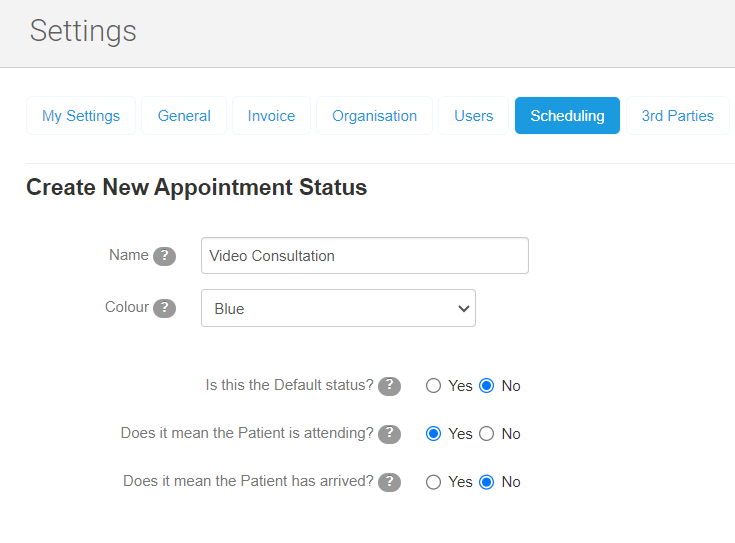
2. Then, head to Settings -> Scheduling -> Appointment Statuses and click 'Create New Apointment Status'.
3. In the Name field, call it 'Video Consultation', for example.
4. Pick a colour for the status, i.e. blue.
5. Set the preferences below, using the tick boxes:
6. Press Save
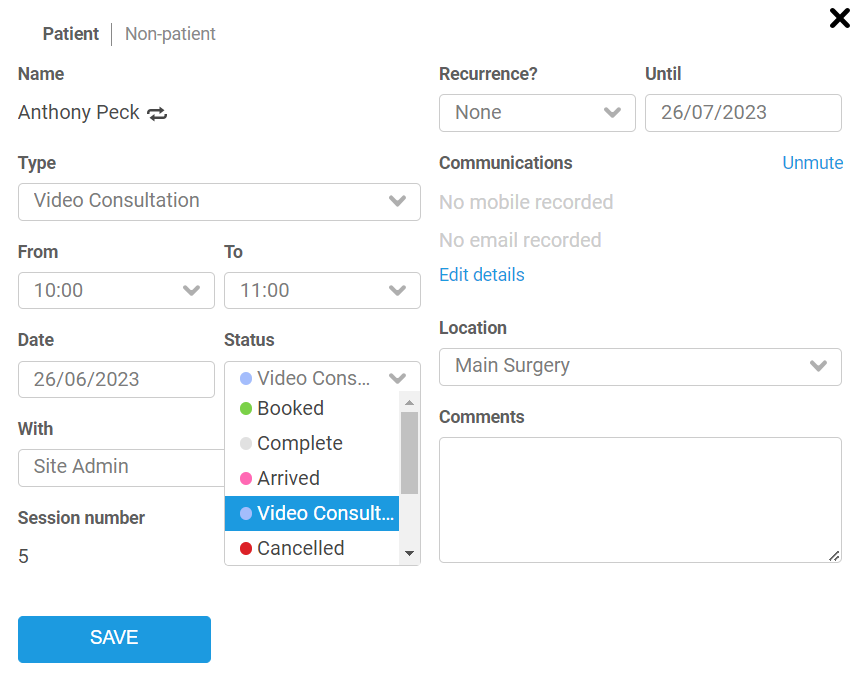
7. Head to the diary and book the Video Consultation appointment.
8. In the modal for the appointment, set the status to 'Video Consultation', then click Save:
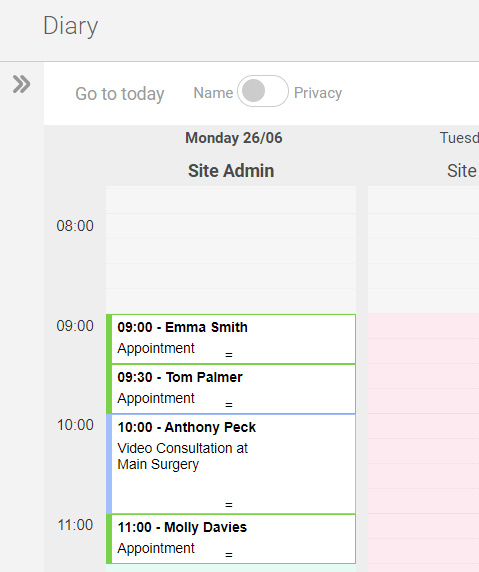
You have complete control over the Appointment Statuses feature, so you can create, delete and edit them as you wish!