
To access the underlying data in a report just click on the "Grid" toggle at the top-right of the chart

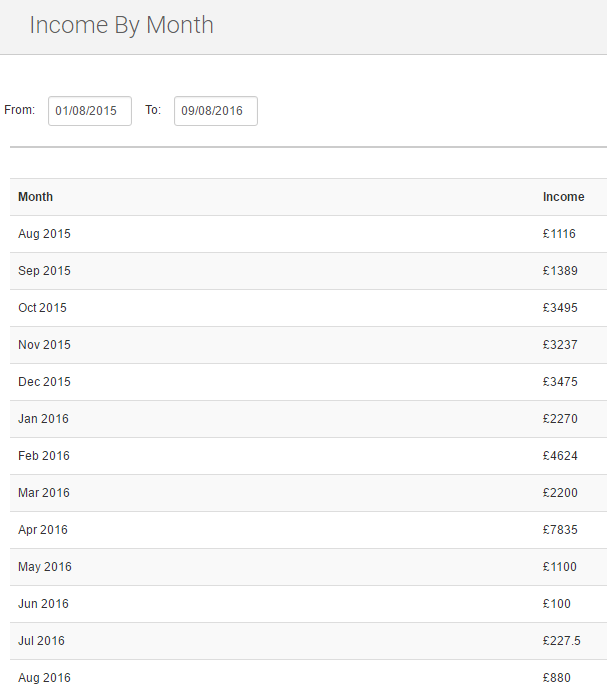
You will then see your data presented in grid/table form:
At any point your can export the data in a report by clicking on the "Export to CSV" button at the bottom of the screen