
Important: Sites on trial do not have access to standalone email messaging. This is an important security precaution. Once subscribed, you will gain full access to messaging in WriteUpp.
To send a standalone email from within WriteUpp:
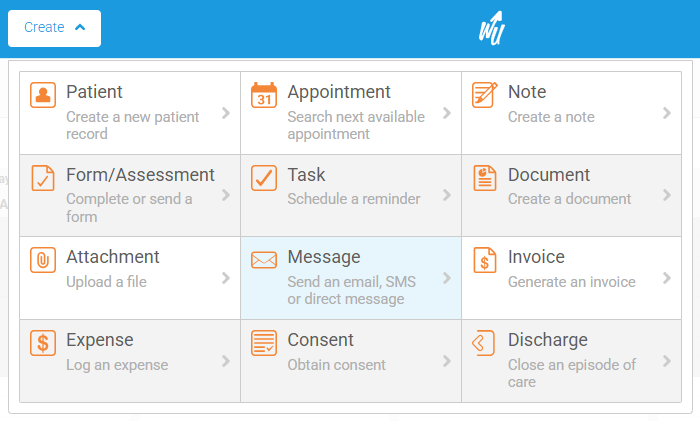
1. Click on Create -> Message:
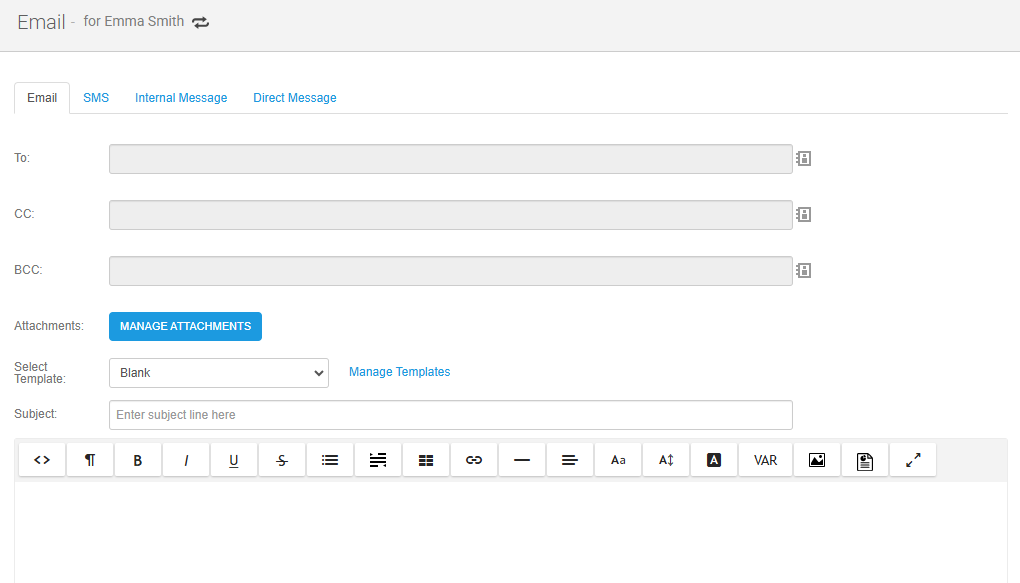
Use the 'Manage Templates' link next to the 'Select Template' dropdown to create and edit existing email templates.
4. Add any attachments from File storage that you would like to include, using the 'Manage Attachments' button.
5. Click on Send Email
Any emails sent via this route will also be added to the client's record in the Messages tab.